

FileShows
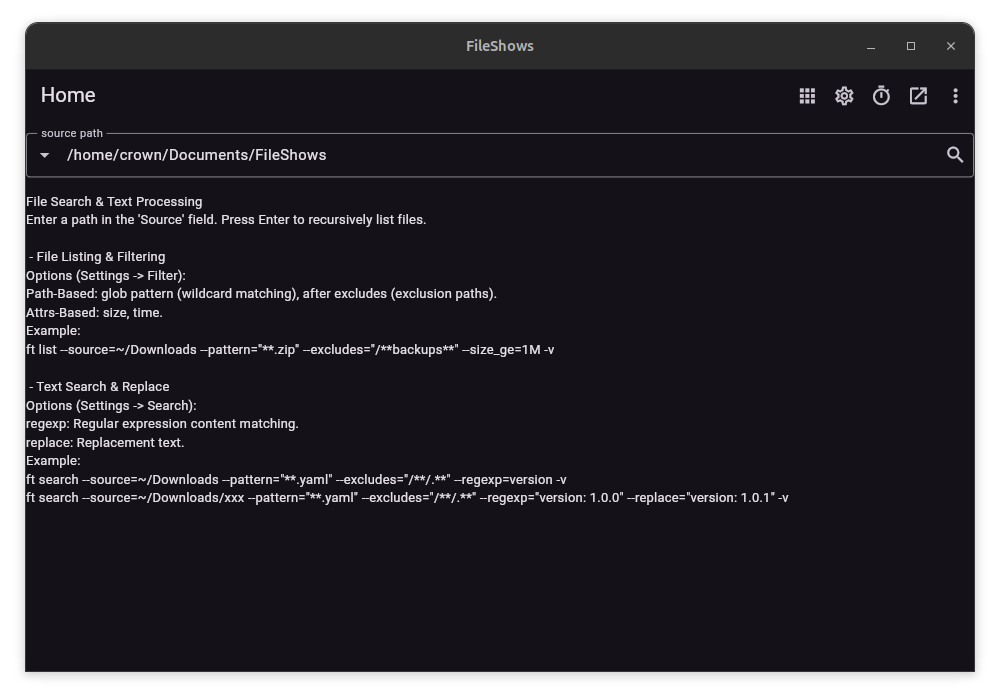
No Ads, No Registration, No Network Access, Minimal Permissions; Local Data Storage, Privacy Guaranteed.
- Smart Matching: Supports file/path wildcards and content regular expressions for recursive, precise targeting.
- Batch Processing: Incremental mirroring, duplicate finding, searching, replacing, archiving, unarchiving, one-click cleaning, and more, for convenient operations.
- Secure Deletion: Multi-pass overwrite mechanisms ensure files are permanently unrecoverable.
- Scheduled Tasks: Execute file management tasks at scheduled times, compatible with CRON expressions.
Customisation: Write custom rule scripts for complete command over file operations, similar to writing a Makefile, via the open-source CLI tool.
FileShows Website FileShows Bugtracker FileShows Help
Usage
FileShows is available as an AppImage which means "one app = one file", which you can download and run on your Linux system while you don't need a package manager and nothing gets changed in your system. Awesome!
AppImages are single-file applications that run on most Linux distributions. Download an application, make it executable, and run! No need to install. No system libraries or system preferences are altered. Most AppImages run on recent versions of Arch Linux, CentOS, Debian, Fedora, openSUSE, Red Hat, Ubuntu, and other common desktop distributions.
Running FileShows on Linux without installation
Unlike other applications, AppImages do not need to be installed before they can be used. However, they need to be marked as executable before they can be run. This is a Linux security feature.Beware! AppImages are usually not verified by others. Follow these instructions only if you trust the developer of the software. Use at your own risk!
Download the FileShows AppImage and make it executable using your file manager or by entering the following commands in a terminal:
chmod +x ./*.AppImageThen double-click the AppImage in the file manager to open it.
Sandboxing FileShows
If you want to restrict what FileShows can do on your system, you can run the AppImage in a sandbox like Firejail. This is entirely optional and currently needs to be configured by the user.
Updating FileShows
If you would like to update to a new version, simply download the new FileShows AppImage.
Integrating AppImages into the system
If you would like to have the executable bit set automatically, and would like to see FileShows and other AppImages integrated into the system (menus, icons, file type associations, etc.), then you may want to check the optional appimaged daemon.
Note for application authors
Thanks for distributing FileShows in the AppImage format for all common Linux distributions. Great! Here are some ideas on how to make it even better.
Pro Tips for further enhancing the FileShows AppImage
Please consider to add update information to the FileShows AppImage and ship a .zsync file so that it can be updated using AppImageUpdate. Tools like appimagetool and linuxdeployqt can do this for you easily.
Thanks for shipping AppStream metainfo inside your AppImage. Please open a pull request on https://github.com/AppImage/appimage.github.io/blob/master/data/FileShows if you have changed it and would like to see this page updated accordingly.
If you would like to see a donation link for the application here, please include one in the AppStream data.