

Vibe Wallet
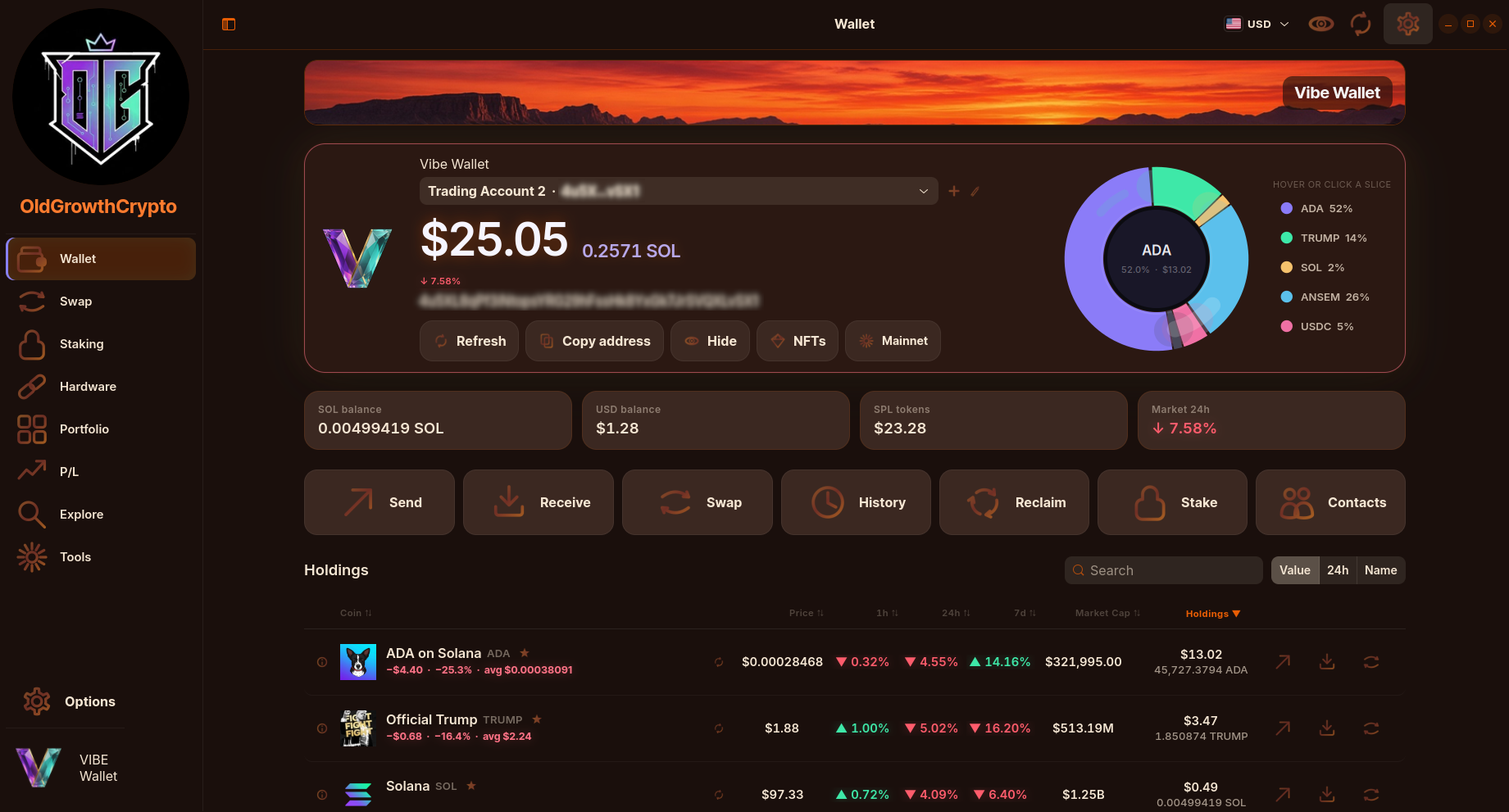
Vibe Wallet is a native GTK 4 and libadwaita desktop wallet for Solana. It is non-custodial: your keys are encrypted and stored only on your computer by the bundled signer (vibe-vault), and every transaction is reviewed and confirmed locally before it is signed.
Features:
- Send and receive SOL and SPL / Token-2022 tokens, including .sol and .sns names
- Token swaps routed through Jupiter, with the quote and fee shown before you confirm
- Native SOL staking
- Ledger and Trezor hardware wallet support, with confirmation on the device
- NFT gallery and a portfolio view of your holdings
- Optional startup password and idle auto-lock
Vibe Wallet is not a bank, broker or custodian. Always keep an offline backup of your recovery phrase.
Compatibility: Self-contained, does not depend on the C library of the system (ships its own C library)
GitHub Download Vibe_Wallet Website Vibe_Wallet Help
Usage
Vibe_Wallet is available as an AppImage which means "one app = one file", which you can download and run on your Linux system while you don't need a package manager and nothing gets changed in your system. Awesome!
AppImages are single-file applications that run on most Linux distributions. Download an application, make it executable, and run! No need to install. No system libraries or system preferences are altered. Most AppImages run on recent versions of Arch Linux, CentOS, Debian, Fedora, openSUSE, Red Hat, Ubuntu, and other common desktop distributions.
This AppImage is self-contained: it does not need a compatible C library (such as glibc) on the system, because it ships its own C library. Hence it should also run on older distributions and on distributions that use a different C library (such as musl on Alpine Linux).
Running Vibe_Wallet on Linux without installation
Unlike other applications, AppImages do not need to be installed before they can be used. However, they need to be marked as executable before they can be run. This is a Linux security feature.Beware! AppImages are usually not verified by others. Follow these instructions only if you trust the developer of the software. Use at your own risk!
Download the Vibe_Wallet AppImage and make it executable using your file manager or by entering the following commands in a terminal:
chmod +x ./*.AppImageThen double-click the AppImage in the file manager to open it.
Sandboxing Vibe_Wallet
If you want to restrict what Vibe_Wallet can do on your system, you can run the AppImage in a sandbox like Firejail. This is entirely optional and currently needs to be configured by the user.
Updating Vibe_Wallet
If you would like to update to a new version, simply download the new Vibe_Wallet AppImage.
The Vibe_Wallet AppImage also can be updated using AppImageUpdate. Using this tool, Vibe_Wallet can be updated by downloading only the portions of the AppImage that have actually changed since the last version.
Integrating AppImages into the system
If you would like to have the executable bit set automatically, and would like to see Vibe_Wallet and other AppImages integrated into the system (menus, icons, file type associations, etc.), then you may want to check the optional appimaged daemon.
Note for application authors
Thanks for distributing Vibe_Wallet in the AppImage format for all common Linux distributions. Great! Here are some ideas on how to make it even better.
Pro Tips for further enhancing the Vibe_Wallet AppImage
Thanks for shipping AppStream metainfo inside your AppImage. Please open a pull request on https://github.com/AppImage/appimage.github.io/blob/master/data/Vibe_Wallet if you have changed it and would like to see this page updated accordingly.
If you would like to see a donation link for the application here, please include one in the AppStream data.