

MooerLooperManager
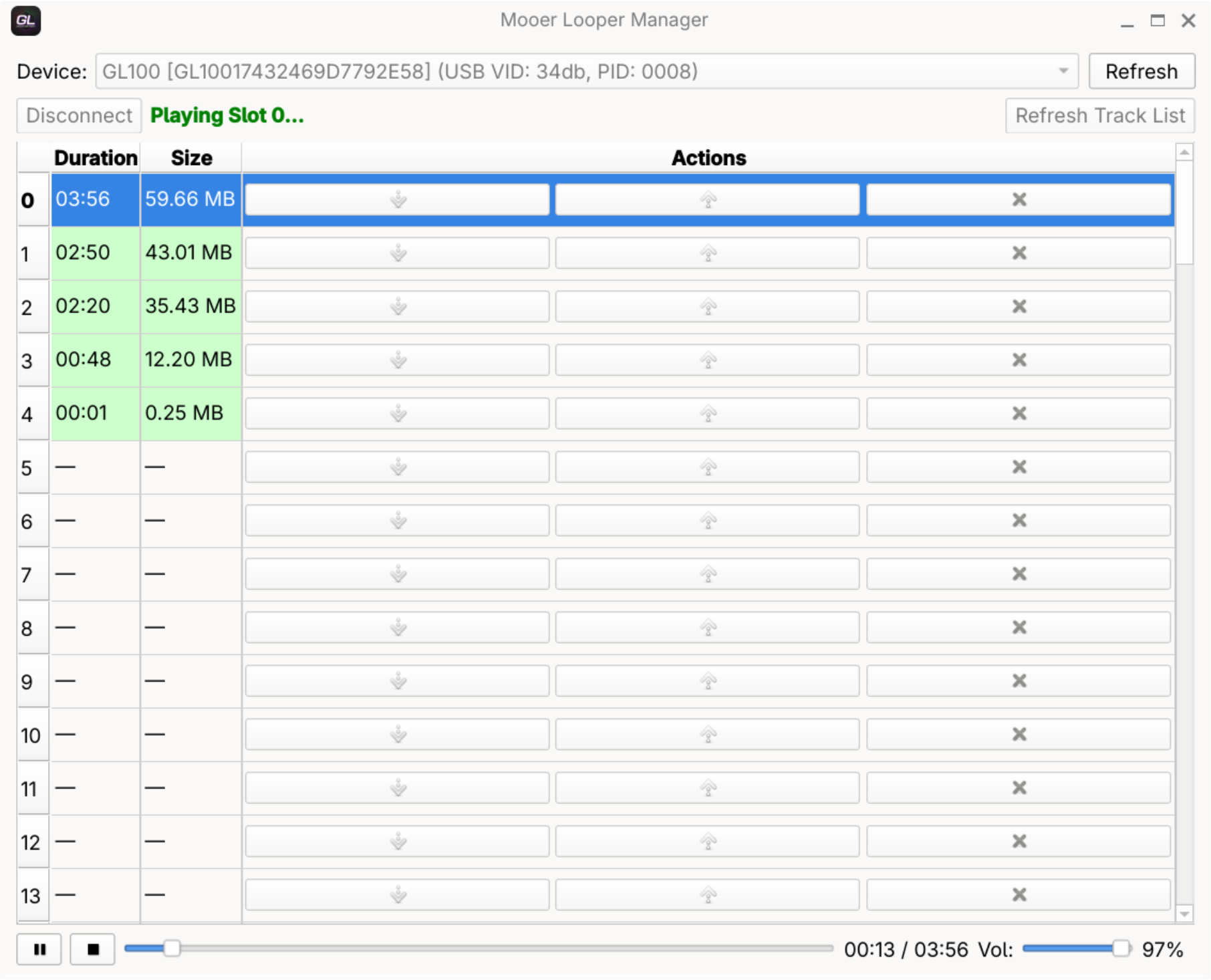
Mooer Looper Manager is a utility to manage your looper tracks on Mooer GL100 and GL200 pedals. It allows you to export tracks as WAV files and import new tracks into the device.
To access the device, install udev rules by running:
sudo sh -c 'echo "SUBSYSTEM==\"usb\", ATTRS{idVendor}==\"34db\", ATTRS{idProduct}==\"0008\", MODE=\"0666\", TAG+=\"uaccess\"" > /etc/udev/rules.d/99-mooer-looper.rules' && sudo udevadm control --reload-rules
Compatibility: Uses the C library of the system (may need glibc 2.35 or later)
GitHub Download MooerLooperManager Website MooerLooperManager Bugtracker
Usage
MooerLooperManager is available as an AppImage which means "one app = one file", which you can download and run on your Linux system while you don't need a package manager and nothing gets changed in your system. Awesome!
AppImages are single-file applications that run on most Linux distributions. Download an application, make it executable, and run! No need to install. No system libraries or system preferences are altered. Most AppImages run on recent versions of Arch Linux, CentOS, Debian, Fedora, openSUSE, Red Hat, Ubuntu, and other common desktop distributions.
This AppImage uses the C library of the system and may need glibc 2.35 or later. It does not run on distributions that use a different C library (such as musl on Alpine Linux) or an older glibc.
Running MooerLooperManager on Linux without installation
Unlike other applications, AppImages do not need to be installed before they can be used. However, they need to be marked as executable before they can be run. This is a Linux security feature.Beware! AppImages are usually not verified by others. Follow these instructions only if you trust the developer of the software. Use at your own risk!
Download the MooerLooperManager AppImage and make it executable using your file manager or by entering the following commands in a terminal:
chmod +x ./*.AppImageThen double-click the AppImage in the file manager to open it.
Sandboxing MooerLooperManager
If you want to restrict what MooerLooperManager can do on your system, you can run the AppImage in a sandbox like Firejail. This is entirely optional and currently needs to be configured by the user.
Updating MooerLooperManager
If you would like to update to a new version, simply download the new MooerLooperManager AppImage.
Integrating AppImages into the system
If you would like to have the executable bit set automatically, and would like to see MooerLooperManager and other AppImages integrated into the system (menus, icons, file type associations, etc.), then you may want to check the optional appimaged daemon.
Note for application authors
Thanks for distributing MooerLooperManager in the AppImage format for all common Linux distributions. Great! Here are some ideas on how to make it even better.
Pro Tips for further enhancing the MooerLooperManager AppImage
Please consider to add update information to the MooerLooperManager AppImage and ship a .zsync file so that it can be updated using AppImageUpdate. Tools like appimagetool and linuxdeployqt can do this for you easily.
Please consider making the MooerLooperManager AppImage self-contained, so that it does not depend on the C library of the system and runs on more distributions: ship the C library including its loader (ld-linux-*.so.*) and use it to launch the application, or link statically.
Thanks for shipping AppStream metainfo inside your AppImage. Please open a pull request on https://github.com/AppImage/appimage.github.io/blob/master/data/MooerLooperManager if you have changed it and would like to see this page updated accordingly.
If you would like to see a donation link for the application here, please include one in the AppStream data.